BPM Detection!
Did you ever wonder what the BPM column in your favorite music player could be used for?
Well, first you have to fill it. There are multiple tools that let you tap the beat to some song and then write the BPM value into iTunes/Music. This is probably a good method, if you have—say—10 songs.
If you have more than 10 songs, you need a tool for automatic BPM detection. One like beaTunes.
Once you have determined the BPM of songs in your library, you can build playlists based on the tempo of your tracks. It makes it a lot easier to find those slow dance, running or roadtrip songs.
Here's how it works
- Get the free beaTunes trial version for Windows or Mac and install it on your computer
- Start beaTunes
- Either select the songs you want to analyze and click on the Analyze button or go to Tools > Analyze all Songs
- beaTunes will now show you the analysis options dialog:
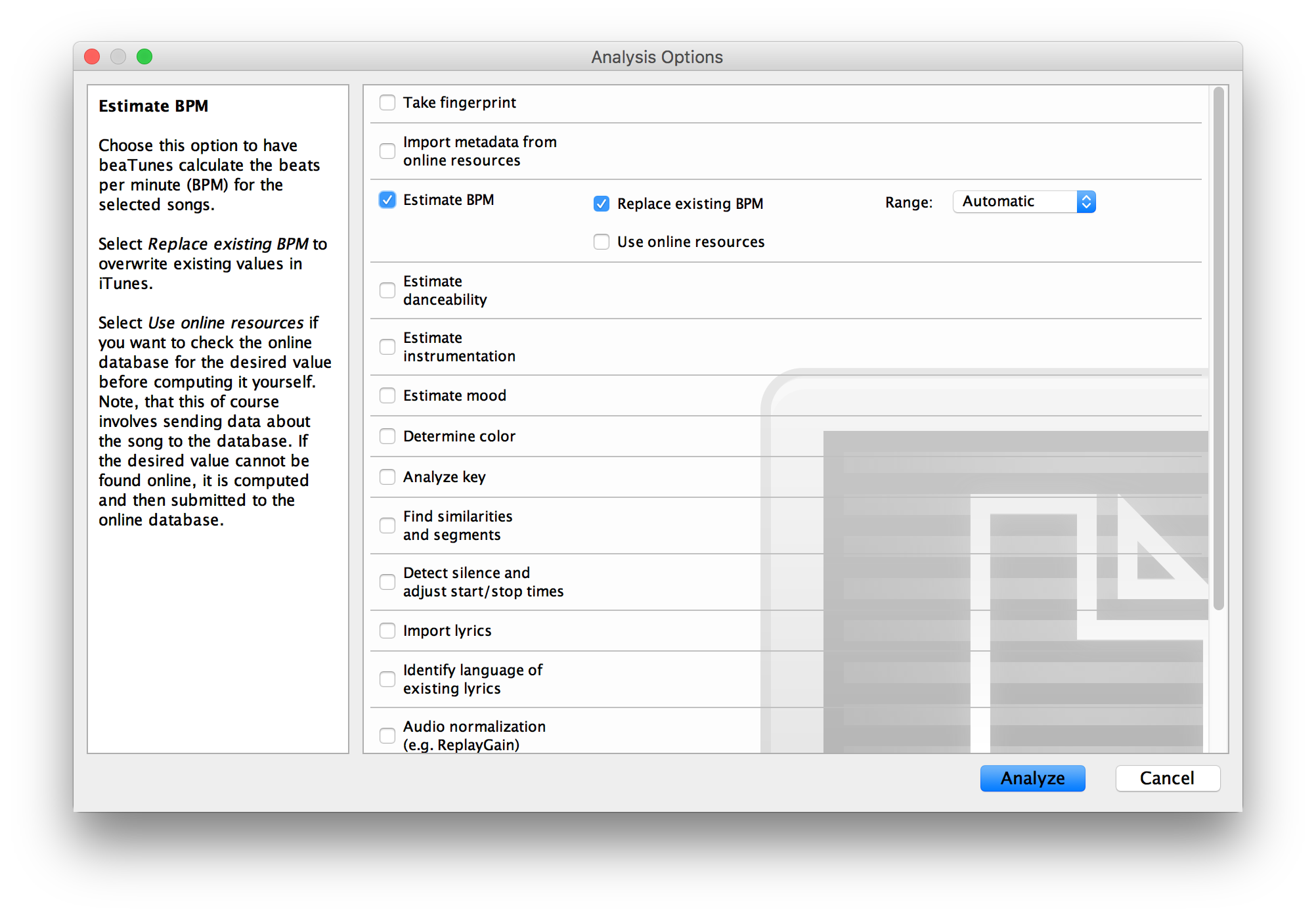
- Choose Estimate BPM, select whether you want to replace already existing BPM values (probably not)
- If you are using Apple Music (the service, not the app), turn on Use online resources
-
Then start the analysis
(you might also want to check the Determine color checkbox while you are at it - it will help you to create great playlists) - The songs are now analyzed in the background
- To track progress, click on the Analysis/Task Queue item in the left part of the main window:
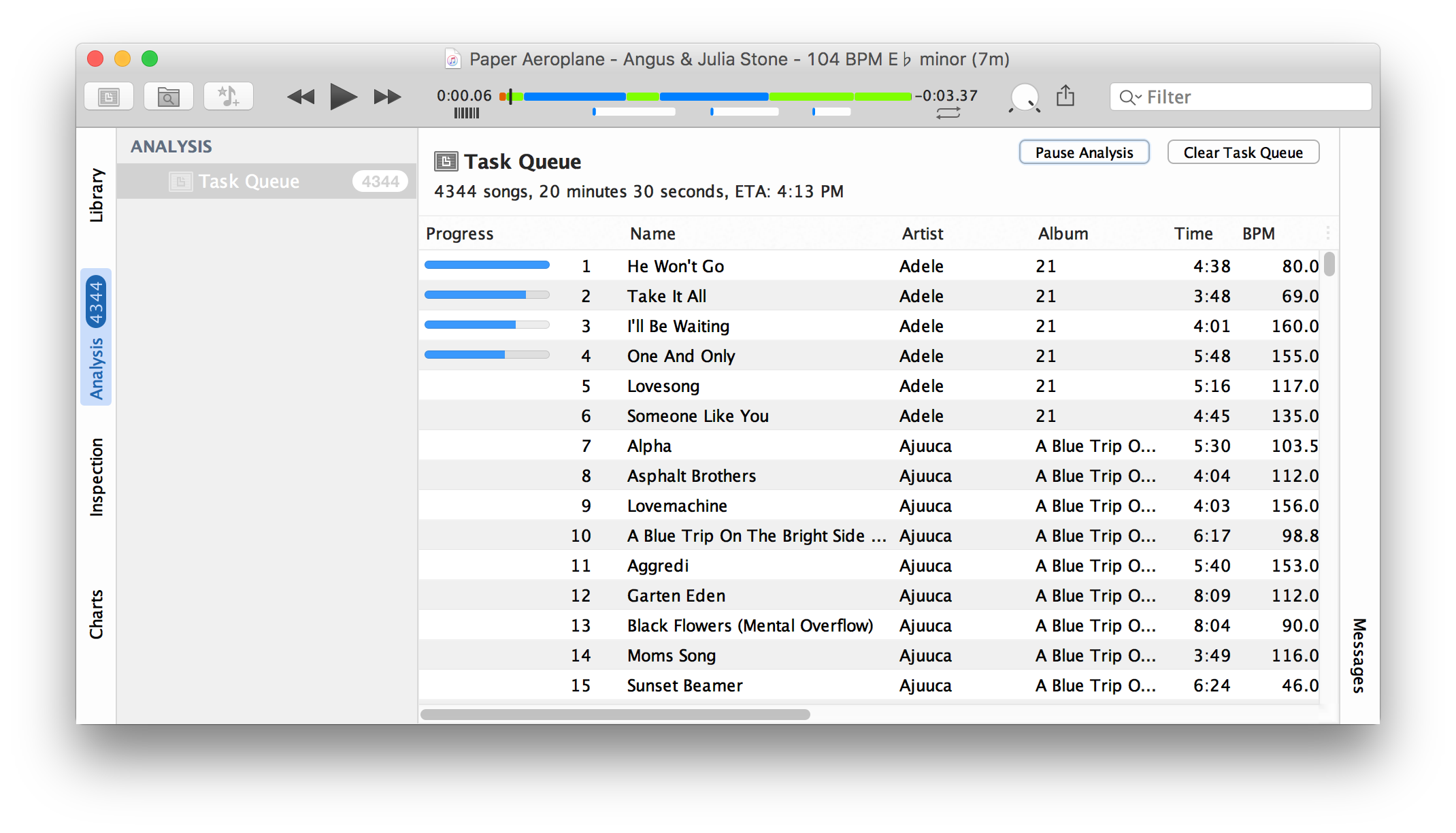
- The progress bars in the first rows shows how much of the analysis of a song is completed
- When the analysis is running, the Pause Analysis button is enabled allowing you to pause analysis at any time
- BPM analysis is a one time effort that takes some time - we recommend to run it over night
- Note, that when you shut down beaTunes and restart it, it resumes analysis where you stopped it
Pretty easy. Now would you like to analyze your music collection? Get the free trial version.
More
beaTunes has a lot more useful features to detect the key of your songs, adjust loudness via ReplayGain, keep your library in shape, browse your songs in new ways, analyze your music, and help you to create interesting playlists.