Identify!
Does your music collection contain tracks that are named 01-Track.mp3? Did you rip a lot of CDs while being offline or simply weren't using CDDB or freedb?
Would you like to associate track and artist names with your anonymous songs?
beaTunes can help you out. Through acoustic fingerprinting technology, beaTunes can retrieve much of the missing information from a central database*).
The free trial lets you identify up to 10 songs per session. To identify more songs in one batch, you will need to purchase a license.
Here's how it works
- Get the free beaTunes trial version for Windows or Mac and install it on your computer
- Start beaTunes
- Instead, only select the songs that have no meaningful title or artist information associated with them
- Go to File -> Analyze Songs
- beaTunes will now show you the analysis options dialog:

- Check the Import metadata from online resources checkbox
- Make sure you select an appropriate import option. The replace option will overwrite existing data. Be sure to understand what it does.
- Click on the analyze button to start the process
- The songs are now analyzed in the background
- To track progress, click on the Task Queue item in the left part of the main window:
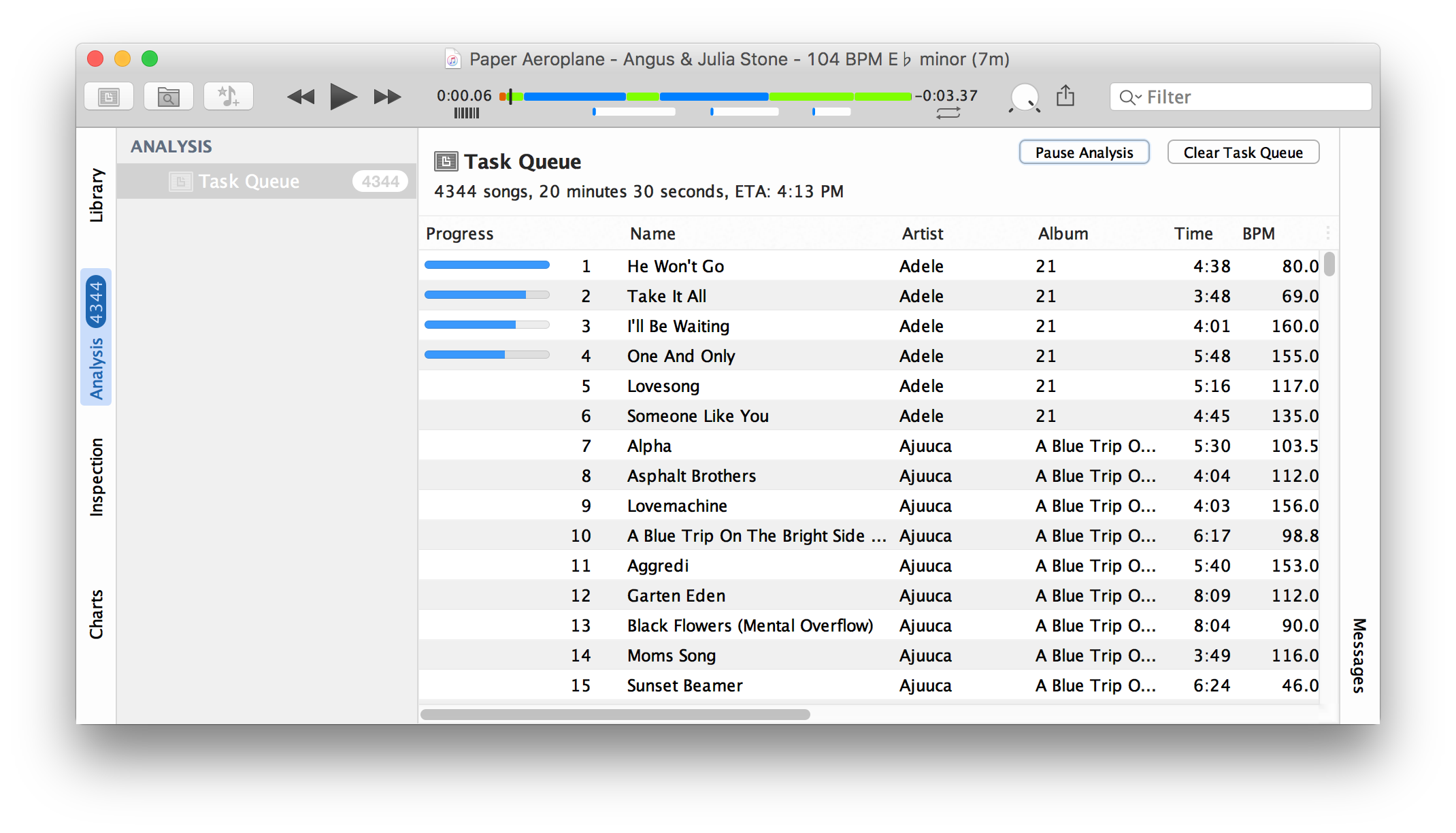
- When the analysis is running, the Pause Analysis button is enabled allowing you to pause analysis at any time
- Note, that when you shut down beaTunes and restart it, it resumes analysis where you stopped it
- Once an ID is associated with a song, the Get Info dialog will take advantage of it and offer helpful correction hints:

That's it! Couldn't be any easier, right?
More
beaTunes has a lot more useful features to identify tracks, detect the key of your songs, adjust loudness via ReplayGain, keep your library in shape, browse your songs in new ways, analyze your music and help you to create interesting playlists.
*) This functionality depends on the availability of an online service. tagtraum industries does not make any guarantees regarding the availability of any online services.